We hacked together a simple tool to notify us of training progress and failures. Today, we're open-sourcing it, in case it's useful to other folks.

In December, we were approaching the finish line for Linum v2, our 2B parameter text-to-video model. To that point, we had been running daily experiments on a small 32-H100 cluster. Now it was time to scale to a much larger H200 cluster for the final training run.
Keeping a cluster alive is really hard. GPUs are notoriously flaky. Failure modes are all over the place: overheating, a network blip during a checkpoint upload, an intermittent storage issue, or something else random. If a single GPU fails, the whole run goes down. So, as you scale up your fleet, the likelihood (and frequency) of training errors increases significantly.
With our smaller experiment cluster, we weren't too concerned about downtime. The failure rate was pretty low (~1 error every 1-2 weeks for ~10-15 hours of downtime per month). If a run crashed in the middle of the night, we could stomach the cost and just restart the experiment first thing in the morning. But for the amount of money we were spending per hour on this scale up, we needed a real alert system.
We know that teams at bigger companies use tools like PagerDuty for this, but we didn't want to spend the time or money learning a new tool for what felt like a pretty simple problem.
So, we just built our own for cheap.
Heartbeats & Crashes
When you have something as important as a big training run ongoing, you find yourself constantly checking your dashboards to make sure things are ok. That's fine here and there — but at some point it's a big mental drain.
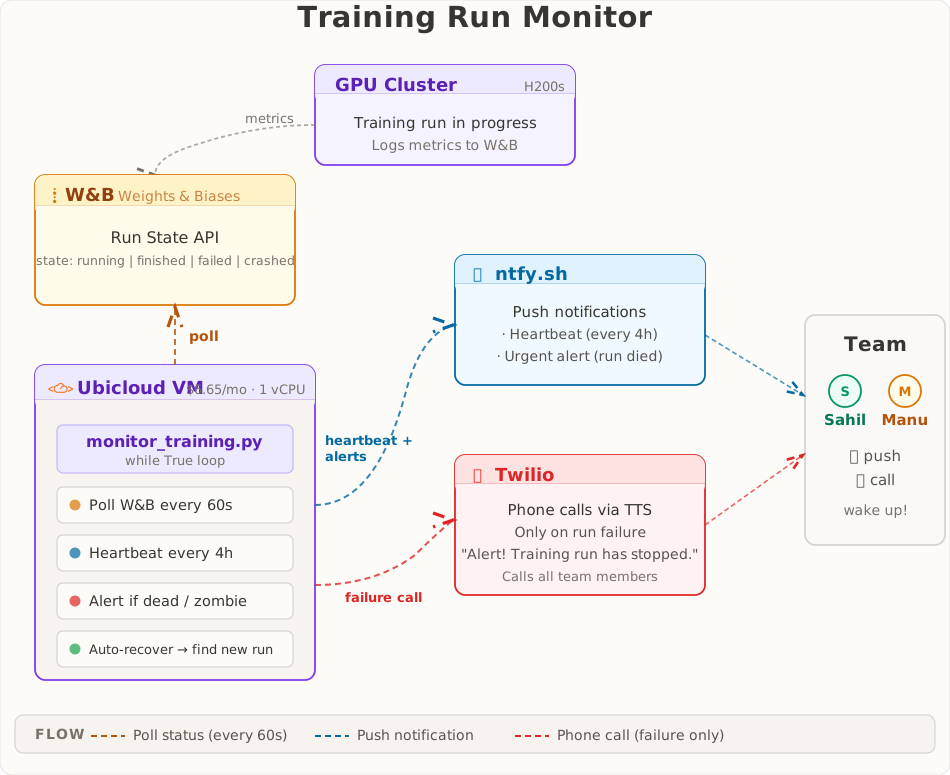
To combat that, we wanted to get a heartbeat notification every 4 hours, so we'd have the peace of mind that our run was still alive. On top of that, we needed a CODE RED that would immediately notify us if the training run died, day or night.
Email notifications and Slack notifications were a NO-GO. We receive way too many emails for the signal to get through. Meanwhile, Slack notifications are way too unreliable. There are too many times when we've gotten messages on our phone, hours after the sender fired it off. With those options ruled out, we landed on phone calls and text messages that we piped through a custom "Focus Mode" on our iPhones.
Architecture
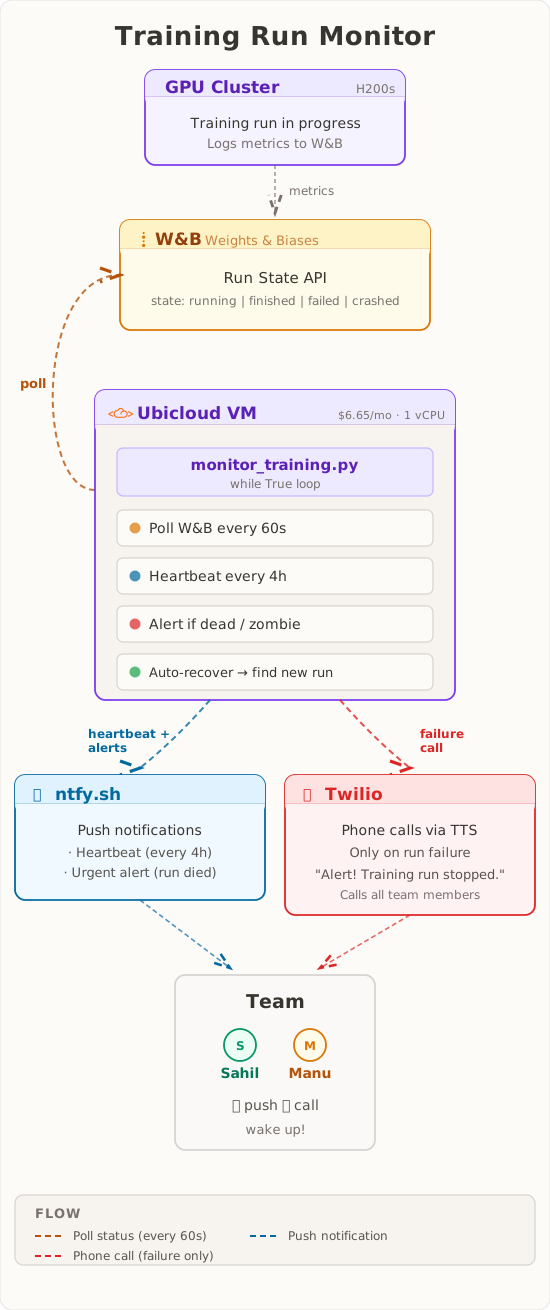
We tried to keep this as simple as possible. We spun up the smallest CPU instance on Ubicloud ($6.65/month, 1 VCPU, burstable) and wrote a Python script that ran in a while loop. Every minute, it polled Weights & Biases to check if the training run was still alive. Every 4 hours, it pinged us with a heartbeat notification. And, if the run went down, it immediately pinged us and called us.
There are probably cheaper ways to do this with lambda functions and some scheduling hooks, but that felt like overkill.
[v1] Twilio Calls and Texts
Setting up phone calls on Twilio was painless (even for someone who never used the platform before). Text messages were a whole other story. Every test message we sent went undelivered with the error: Message from an unregistered number.
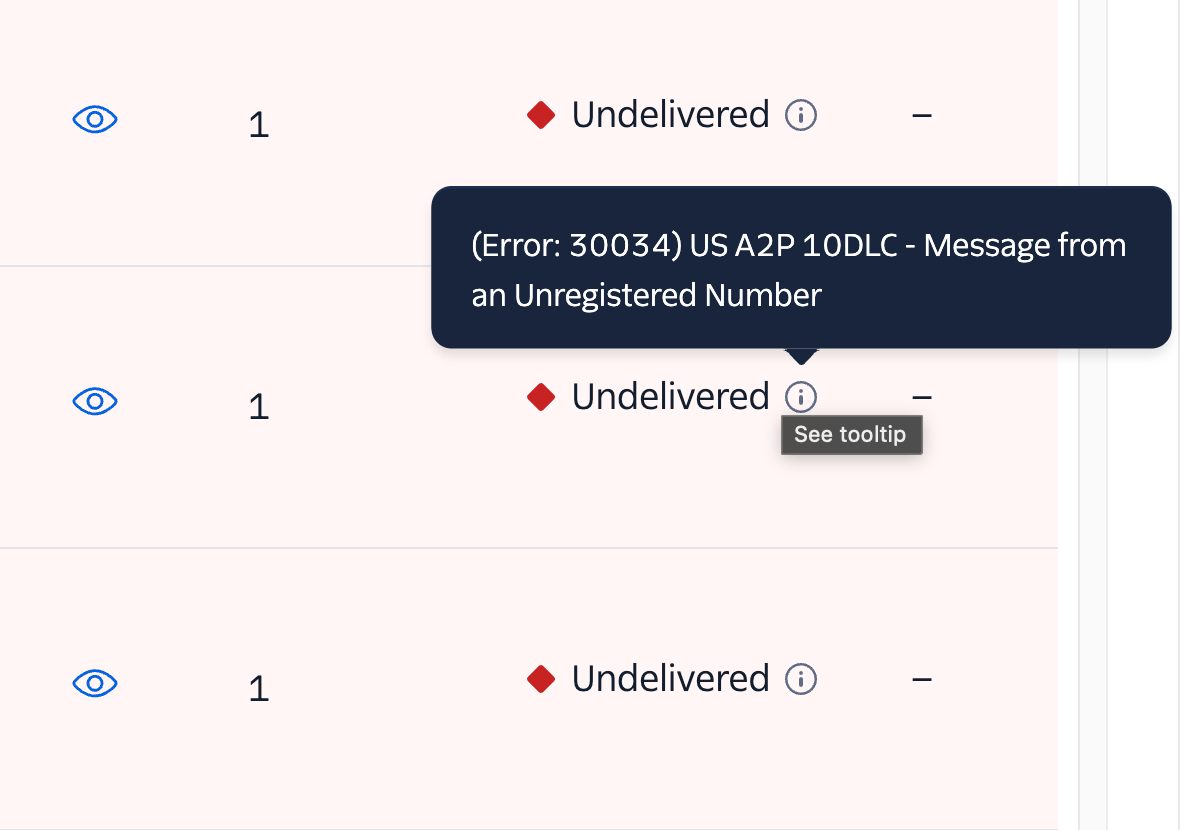
Apparently, you first need to get A2P 10DLC compliance. It's a standard created by the major telecom companies to reduce spam texts and improve consumer trust. Depending on who you ask, getting approved by the TCR (a telecom industry body) takes anywhere between 2 weeks to 2 months.
If you look around the internet, you'll find countless rants about how lengthy/opaque this process can be. We filled out the forms, but we knew this was probably a dead-end. There was no way this was getting approved in the middle of December.
Our cluster was going live in a couple of hours (probably should have thought of monitoring earlier, but we were busy prepping for the scale up itself 🤷). Turns out there was no easy workaround for our specific use-case — just texting 2 people, who could provide consent (opt-in) to getting the texts.
[v2] Twilio -> WhatsApp
Twilio has a convenient sandbox where you can send out messages to users that manually "join" Twilio's WhatsApp Channel.
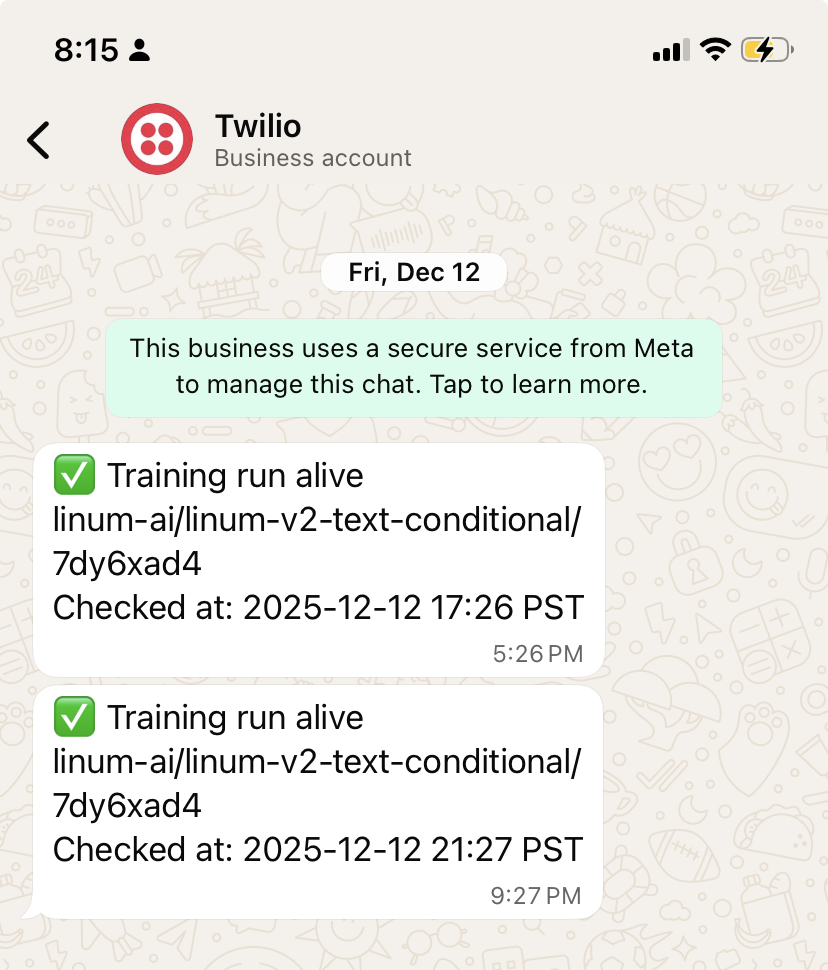
Over the course of the first 24 hours, everything seemed like it was running smoothly. But, the next day we were out at dinner when we noticed we didn't receive a scheduled heartbeat.
After some panicked investigation, we discovered the culprit: the training run was live, but the monitoring script had failed because the Twilio sandbox requires you to manually rejoin every 24 hours. Remembering to re-join was too much friction, so the sandbox was a dead-end as well.
Moving out of the sandbox, towards production wasn't an option either. We needed a Meta Business Account and additional approvals. We filled out the forms and moved on.
[v3] ntfy.sh Push Notifications
It was time to go back to the drawing board. Email was still a non-starter. Creating a Discord bot or a Telegram bot were valid solutions. Neither of us use those tools, so we tried looking for something even simpler and eventually landed on using ntfy.sh.
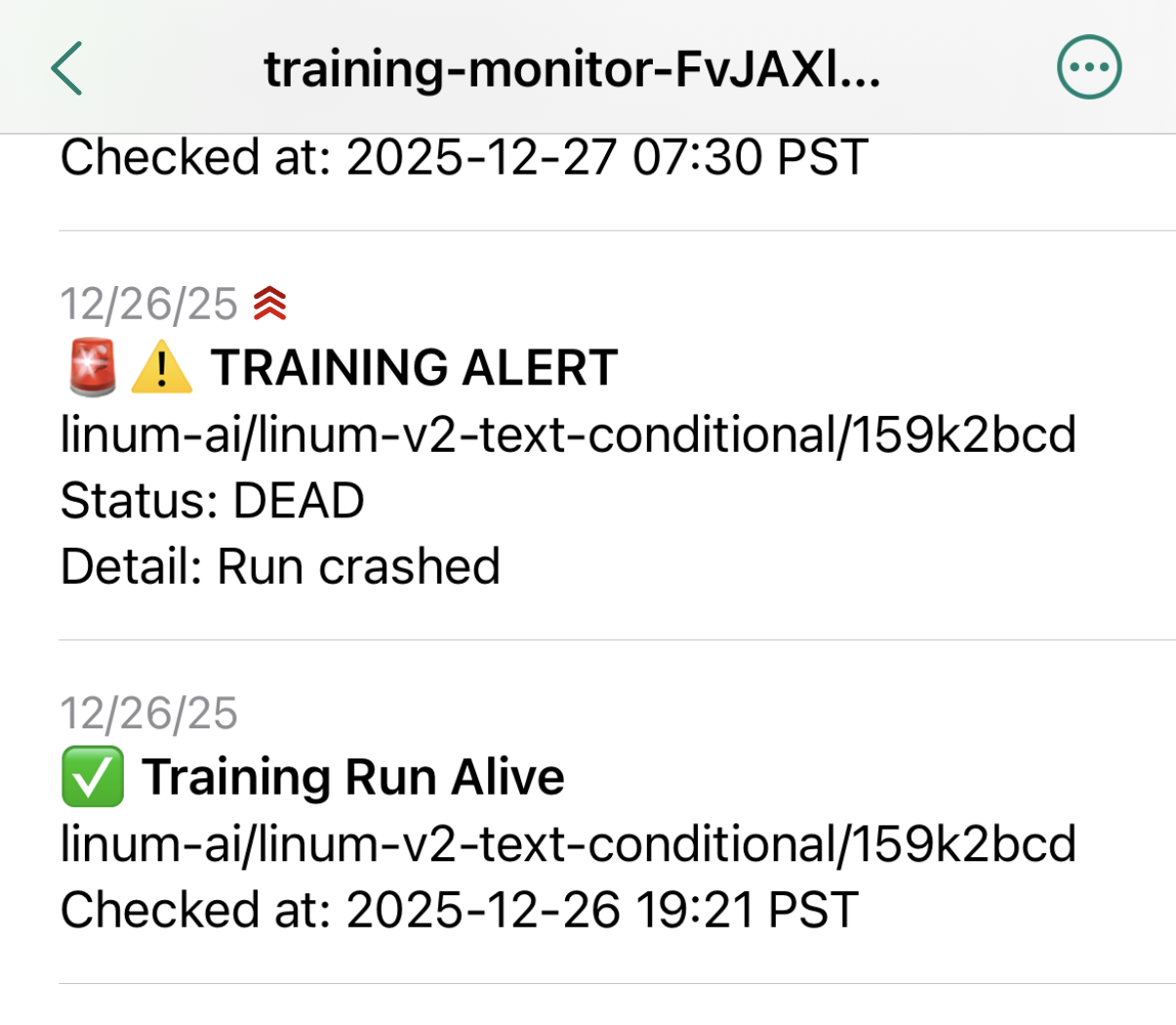
It's a basic pub-sub for push notifications. You subscribe to a channel, and anything posted to it is relayed to your phone. We pointed our script at a channel we created (we named it training-monitor-{RANDOM_ID}), downloaded the ntfy.sh app, subscribed to our training channel, and just like that we had a reliable, working notification service!
[v4] Automatic Restarts
We got a real stress test a week into training: two crashes, back-to-back, at 2:30 and 3:30 AM. Being woken up twice in the middle of the night wasn't ideal, but it's better than finding out hours later. It also revealed a major design flaw in our service.
Our monitoring script took a W&B RUN ID as input and exited after sending a crash notification. We had to manually re-run the monitoring script with the new RUN ID, but it took ~15 minutes for the training run to get to the point where W&B was initialized.
It's really not fun to wait around 15 minutes at 3:00 AM, straining your eyes against the glow of your terminal. So, we needed to make the monitoring script auto-resume.
The fix was pretty simple. We just baked in the assumption that there should be a single active RUN ID for a particular W&B Group. The monitoring script auto-selects the one active run and throws an error if there are several active runs in the group (i.e., the assumption is violated).
This Kind of Works?
Honestly, we were surprised by how well this worked for us, so we're open-sourcing it.
We're going to be slowly adding more to it over time. It won't be a replacement for hard-core logging services like W&B, but we hope it's a simple (and inexpensive) way to stay sane when you're on-call during a foundation model training run.
Looking forward, we're thinking of adding notifications with key outputs from your W&B charts (e.g., sample images and videos generated during validation). If you have any requests, open an issue and we'll try taking a look!
Who are we?
We're two brothers training text-to-video models from scratch. We're trying to make animation accessible so that anyone can make their own shows and movies.
Get Field Notes
Technical deep dives on building generative video models from the ground up, plus updates on new releases from Linum.